
Allow cookies for Quantum Fiber app sign-in
If you're unable to sign in to the Quantum Fiber app, check your device cookie settings. Cookies are required for app sign-in. Learn how to enable cookies on your device.
How to enable cookies on a mobile device
Allow all cookies on Android
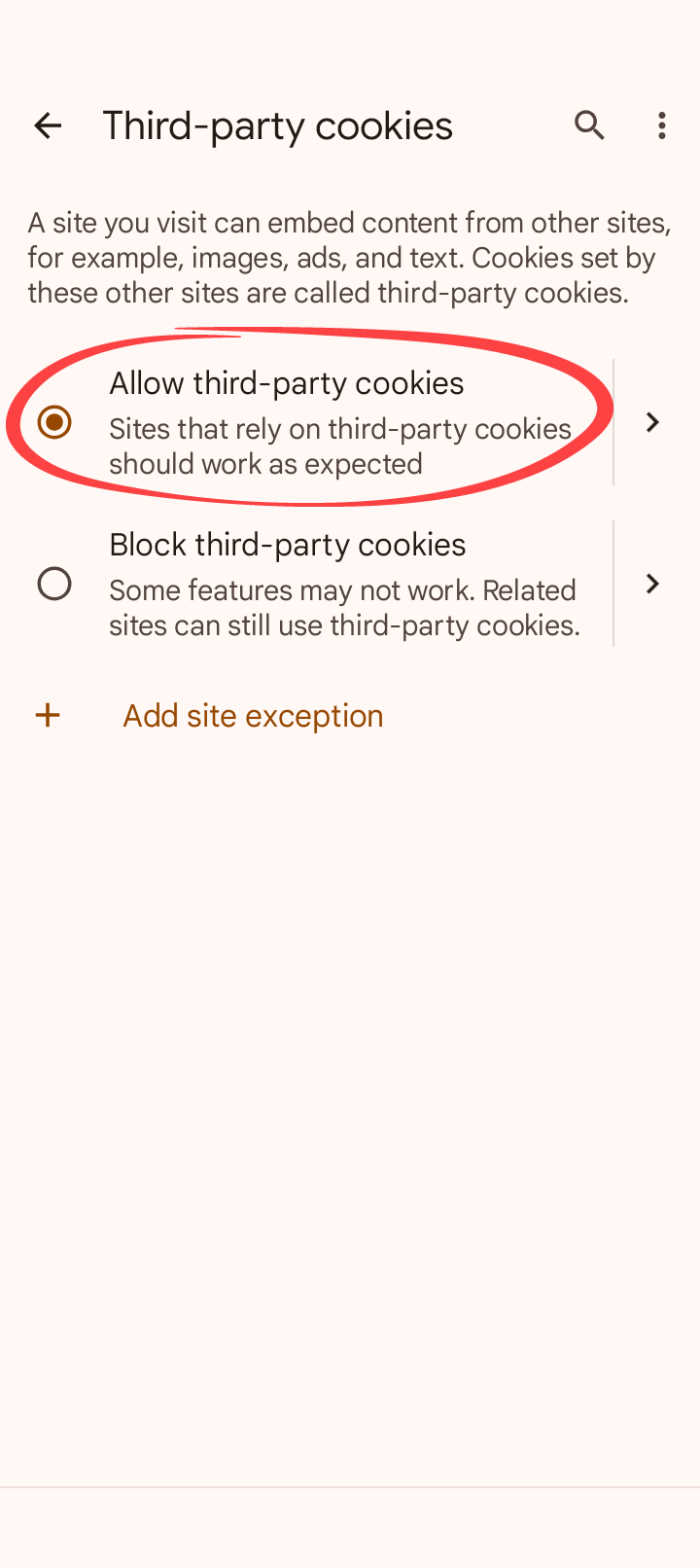
To enable cookies on an Android device with Chrome as the default browser, follow these steps.
1. Open the Chrome browser on your device
2. Tap the three dots in the upper right corner of the browser
3. Tap Settings
4. Scroll down to Advanced and tap Site settings
5. Scroll down to Content and tap Third-party cookies
6. Tap to Allow all cookies
Allow all cookies on iOS
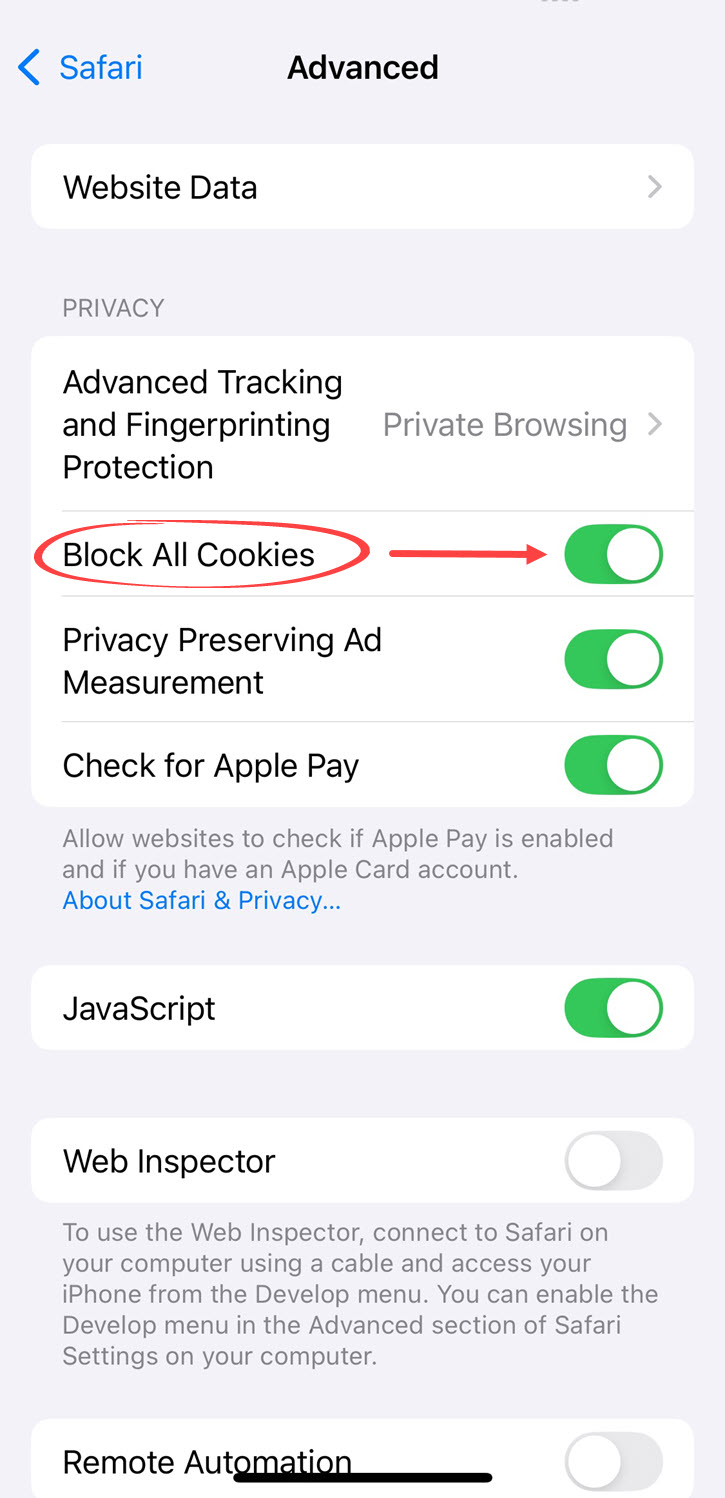
To enable cookies on an iOS device, follow these steps.
1. Open the settings
2. Tap Safari
3. Scroll down to Advanced
4. Toggle off the Block All Cookies setting
Related topics

Manage your Quantum Fiber account

Sign in to Quantum Fiber email
Was this information helpful?
© 2026 AT&T Intellectual Property. AT&T and globe logo are registered trademarks of AT&T Intellectual Property. All other marks are the property of their respective owners.


© 2026 AT&T Intellectual Property. AT&T and globe logo are registered trademarks of AT&T Intellectual Property. All other marks are the property of their respective owners.